Introduction
Selenium is a popular tool for web automation. It’s widely used to test web applications. Its core feature is its ability to interact programmatically with web elements. In web automation, however, it is important to wait for elements to load, or become interactive, to ensure stable test execution. Tests can fail if elements are not ready for interaction. Selenium Wait can be used to solve this problem. This article will examine the various types of Selenium Waiting Strategies , their importance and how they can be used effectively in automation scripts. Understanding the different waits can improve your testing, whether you are a newbie to Selenium.
Understanding Selenium waits
Selenium’s waits can help with timing issues, by controlling the actions that should be performed. Waits are needed because some web pages load dynamically, or have elements that take a while to become visible or interactable. Waits are introduced in such situations to ensure that Selenium only performs actions when it is safe.
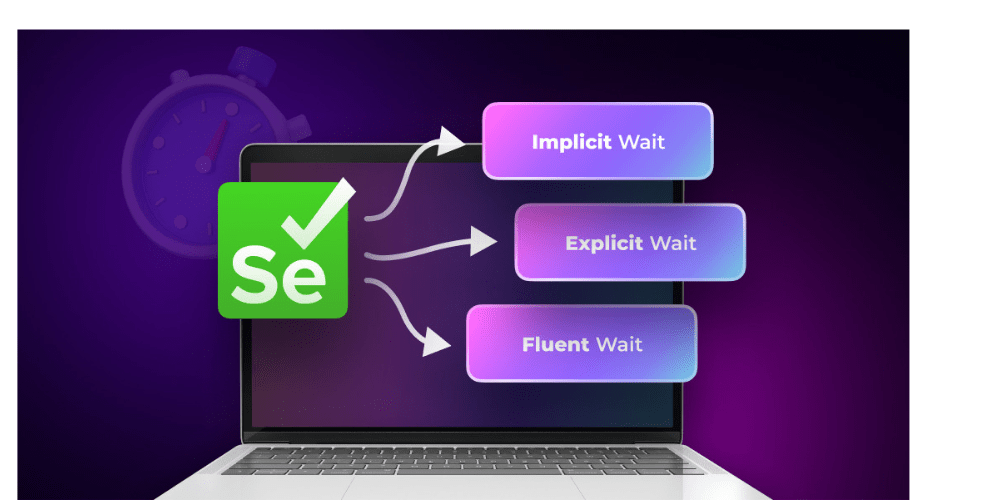
There are three main types selenium wait.
- Implicit Wait
- Explicit Wait
- Fluent Wait
Depending on your specific test requirements, each of these options has advantages and uses.
1. Implicit Wait: A Simple Solution for Fixed Time Delays
The implicit waiting is a form of basic waiting in Selenium that allows the driver to set a maximum amount of time before throwing an error. Selenium waits for the time specified after an implicit wait has been set.
Implicit Wait: When using an implicit wait, Selenium checks for the presence an element within the specified period. Selenium waits for the specified period if the element cannot be found.
Pros of Implicit Wait:
- Simple to implement
- All elements of the script are treated as a single entity.
The Cons of Implicit Wait:
- It can cause long delays for elements that appear earlier than the specified time.
- It is not possible to control the waiting time more precisely.
2. Explicit Wait: A More Flexible Approach
Selenium’s explicit waiting provides a refined method of waiting for elements. Contrary to implicit waits which are applied randomly, explicit waits can be assigned to specific elements. This allows for more control of the wait conditions. A explicit wait instructs Selenium that it must wait until certain conditions are met before taking further action.
Common Conditions in Explicit Waits:
- Element visibility
- Clickable elements
- The presence of an element within the DOM
Explicit waiting is used when you have to wait until a condition has been met, but implicit waiting does not cover it.
How Explicit wait Works:
Create an instance of WebDriverWait and specify the maximum time you want to wait before a condition is met. The script will continue if the condition is met prior to the timeout. In the event that it is not met, an exception will be raised.
Pros of Explicit Wait:
- Specific and more precise.
- Waiting for dynamic conditions such as visibility or clickability.
The Cons of Explicit Wait:
- This requires more code than implicit waiting.
3. Fluent Wait: The Most Flexible Waiting Strategy
The fluent waiting is the most advanced wait type in Selenium, allowing you to set both the polling rate and the maximum time. This is useful if you want to check the presence of an object at regular intervals.
How Fluent wait works:
You can specify how often Selenium checks for an element’s status (such as whether it is visible or clickable). This is useful in situations when elements may not be visible immediately but you do not want to check indefinitely.
Pros of Fluent Wait:
- Allows defining custom polling intervals.
- More control over waiting conditions and retries.
The Cons of Fluent Wait:
- It is more difficult to set up than implicit and explicit waiting.
Why Choosing the Right Selenium Wait Matters
It is important to use the right type of wait for your Selenium test scripts in order to ensure that they run efficiently and smoothly. If you use the wrong wait, it could lead to unnecessarily lengthy delays, flaky test or even skipped action. You can save time by knowing when to use fluent, implicit, and explicit waits.
- Implicit wait is perfect for scenarios in which you want to have a default global waiting time for all elements.
- Explicit wait is used to handle elements which are expected to change or load dynamically.
- Fluent wait will be your first choice when you want to have high flexibility in timing and polling frequencies.
These waits can help you make your Selenium test more efficient, and reduce the chance of failure.
You can also read : Top Selenium Interview Questions and Answers for 2025
Conclusion
Selenium Wait, in summary, is a key component of web automation testing. Each of the three types of waits – implicit, explicit and fluent – has its own unique benefits and uses. Implicit waits are a global solution to waiting for elements. Explicit waits allow for more precise control of individual elements. Fluent waits offer greater flexibility and allow for custom polling. A Selenium Course can help you master the various types of waits essential for efficient test automation
Understanding these wait types and applying them correctly will improve the performance and reliability of your Selenium scripts. There is a type of wait that will fit your situation, whether you’re dealing with dynamically-loaded content, complex interactions or specific timing requirements.
FAQs
1 . When should I use the Implicit wait in Selenium?
The Implicit wait is useful if you want to apply an universal waiting period for all elements within your test. It is a good option for scenarios in which elements should load with a delay on multiple pages or actions.
2 . What is the difference between Fluent Wait and Explicit Wait?
Both Explicit Wait, and Fluent Wait allows you to wait until certain conditions are met. However, Fluent Wait offers more flexibility because it lets you define the polling interval as well as set custom conditions.
3 . Can I use Implicit Wait with Explicit Wait in the same test?
You can. To avoid conflicts, it is generally best to not combine them when using the same element. Choose a wait strategy for each situation that best suits your needs.
 Site Title
Leave a comment